


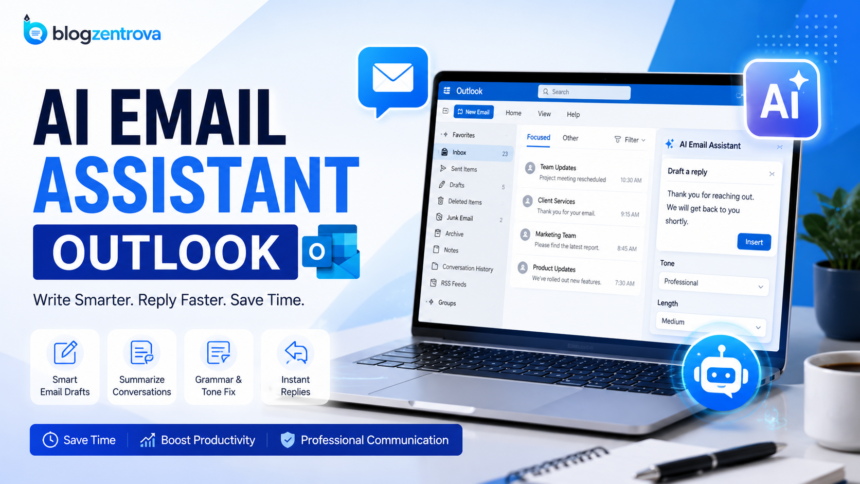
Managing emails can quickly become one of the most time-consuming parts of the workday. Whether you’re handling customer inquiries, communicating with your team, or following up with clients, your inbox can fill up faster than you expect. Reading every message, writing thoughtful replies, and organizing conversations often takes hours each week.
This is where an AI email assistant Outlook solution can make a real difference. Instead of spending valuable time drafting every email from scratch, AI tools help you create professional messages, summarize long conversations, suggest replies, correct grammar, and even organize your inbox more efficiently.
With the rapid growth of artificial intelligence, Microsoft Outlook now works with several AI-powered assistants that improve productivity without changing the way you normally use email. Some tools are built directly into Microsoft 365, while others integrate with Outlook through add-ins or browser extensions.
In this guide, you’ll learn what an AI email assistant for Outlook is, how it works, its biggest benefits, and which tools are worth considering. We’ll also explain how to set one up and compare free and paid options so you can choose the right solution for your needs.
What Is an AI Email Assistant for Outlook?
An AI email assistant for Outlook is software that uses artificial intelligence to make email management faster and easier. It works alongside Microsoft Outlook to help users write, edit, summarize, and organize emails with minimal effort.

Instead of typing every message manually, you can simply provide a short prompt such as:
- Reply politely
- Make this email more professional
- Summarize this conversation
- Write a follow-up email
- Correct grammar and spelling
The AI instantly generates a polished response that you can review before sending.
Modern AI assistants rely on advanced language models that understand context rather than simply checking grammar. This means they can create emails that sound natural, maintain a professional tone, and match the purpose of your conversation.
For example, if a customer asks about pricing, the assistant can draft a clear and friendly response. If your manager sends a lengthy email with multiple action items, the AI can summarize the key points into a short, readable overview.
Many AI assistants also help by:
- Suggesting subject lines
- Improving sentence clarity
- Rewriting emails in different tones
- Translating messages into multiple languages
- Detecting writing mistakes
- Summarizing long email threads
- Generating meeting follow-ups
Because these assistants integrate directly with Outlook, you don’t have to switch between multiple applications. Everything happens inside your email workflow, making communication quicker and more efficient.
Businesses, freelancers, students, and remote teams all benefit from AI-powered email tools because they reduce repetitive work while maintaining professional communication.
Fast Info Table
| Feature | Details |
|---|---|
| Primary Keyword | AI Email Assistant Outlook |
| Purpose | Help users write, organize, and manage emails faster |
| Works With | Microsoft Outlook (Desktop, Web, Microsoft 365) |
| Main Functions | Email writing, summaries, replies, grammar correction, translation |
| Best For | Professionals, businesses, students, freelancers, customer support teams |
| Top Benefit | Saves time while improving email quality |
| Popular AI Tools | Microsoft Copilot, Grammarly, MailMaestro, ChatGPT integrations |
| Free Options | Available with limited features |
| Paid Plans | Offer advanced writing, automation, and customization |
| Learning Curve | Beginner-friendly; most tools are easy to install and use |
| Typical Time Savings | Can reduce email writing time significantly for frequent users |
Benefits of AI Email Assistants
Email has become one of the primary ways people communicate at work. However, replying to dozens of messages every day can take up a significant portion of your schedule. An AI email assistant Outlook solution helps reduce that workload by automating repetitive tasks while keeping your emails professional and easy to understand.
Here are some of the biggest benefits.
Save Time Every Day
One of the main reasons people use AI email assistants is to save time. Instead of spending several minutes writing each email, AI can generate a well-structured draft in just a few seconds.AI email assistant Outlook
Whether you’re replying to customer inquiries, following up after meetings, or sending project updates, AI speeds up the writing process so you can focus on more important work.
Write More Professional Emails
Not everyone feels confident writing formal emails. AI helps improve sentence structure, grammar, punctuation, and overall clarity.
It can also adjust the tone depending on your audience. For example, you can make an email sound:
- Professional
- Friendly
- Confident
- Polite
- Concise
This flexibility helps ensure your message is appropriate for different situations.
Reduce Writing Mistakes
Even experienced professionals occasionally overlook spelling errors or awkward wording. AI reviews your email before you send it and suggests improvements that make your writing clearer and more polished.AI email assistant Outlook
This is especially useful when sending important business emails where accuracy matters.
Summarize Long Email Threads
Sometimes an email conversation stretches across dozens of replies. Reading every message can be frustrating and time-consuming. AI email assistant Outlook
AI assistants can summarize the entire thread into a few key points, allowing you to quickly understand:
- The main discussion
- Important decisions
- Outstanding tasks
- Deadlines
- Next steps
This feature is particularly valuable for busy teams managing multiple projects.
Generate Smart Replies
Many emails require similar responses. Instead of typing the same message repeatedly, AI suggests replies based on the content of the conversation.
You can review, edit if needed, and send the response much faster than writing everything manually.
Improve Productivity
Less time spent on email means more time available for meaningful work.
Employees who manage large inboxes often notice improvements in:
- Daily productivity
- Response time
- Organization
- Communication quality
AI helps reduce repetitive tasks without replacing your personal judgment.
Support Multiple Languages
Many AI assistants can translate emails into AI email assistant Outlook different languages while maintaining a natural writing style.
This feature is helpful for international businesses, remote teams, and freelancers working with clients around the world.
Maintain Consistent Communication
Businesses often want emails to follow a consistent tone and style. AI helps ensure every message reflects your preferred communication style, making interactions more professional and reliable.
Best AI Email Assistants for Outlook
Several AI tools work well with Microsoft Outlook AI email assistant Outlook. Some are developed specifically for Outlook, while others integrate through browser extensions or add-ins.
Here are some of the most popular options.
Microsoft Copilot
Microsoft Copilot is Microsoft’s built-in AI assistant for Microsoft 365. Because it integrates directly with Outlook, it offers one of the smoothest experiences.
Key features include:
- Draft complete emails
- Summarize long conversations
- Suggest quick replies
- Rewrite messages
- Change writing tone
- Highlight important information
For organizations already using Microsoft 365, Copilot provides a seamless workflow with Outlook and other Office apps.
Grammarly
Grammarly is widely known for grammar and spelling correction, but its AI writing features now extend much further.
Inside Outlook, Grammarly can:
- Improve clarity
- Rewrite sentences
- Adjust tone
- Fix grammar mistakes
- Generate email drafts
It’s an excellent choice for users who want polished and professional communication.
MailMaestro
MailMaestro focuses specifically on email productivity.
Popular features include:
- AI-generated replies
- Email summaries
- Personalized drafts
- Inbox productivity tools
- Support for multiple languages
Professionals who spend hours managing email often appreciate its speed and ease of use.
ChatGPT Integrations
Although ChatGPT is not built directly into Outlook, many third-party integrations and browser extensions allow users to generate email drafts without leaving their workflow.
Common uses include:
- Writing replies
- Creating follow-up emails
- Rewriting messages
- Brainstorming subject lines
- Summarizing conversations
These integrations provide flexibility for users who already rely on AI for everyday writing tasks.
Superhuman AI
Superhuman is designed for professionals who receive a high volume of emails every day.
Its AI features include:
- Instant replies
- Email summarization
- Smart writing assistance
- Faster inbox management
- Productivity-focused workflow
Although it’s a premium solution, many busy professionals find the time savings worthwhile.
How to Set Up an AI Email Assistant
Setting up an AI email assistant in Outlook is usually straightforward. Most tools require only a few minutes to install.
Step 1: Choose an AI Tool
Start by selecting the assistant that best matches your needs.
Consider factors such as:
- Budget
- Features
- Ease of use
- Microsoft 365 compatibility
- Business or personal use
Step 2: Install the Add-in or Extension
Depending on the tool, you may need to:
- Install an Outlook add-in
- Add a browser extension
- Enable Microsoft Copilot
- Sign in with your Microsoft account
Most providers offer simple installation instructions.
Step 3: Grant Permissions
To assist with email writing and organization, the application may request permission to access your Outlook account.
Always review the requested permissions carefully and only use trusted providers that clearly explain how your data is handled.
Step 4: Customize Your Preferences
Many AI assistants let you personalize the experience by choosing:
- Default writing tone
- Language preferences
- Signature settings
- Reply style
- Writing length
These settings help the assistant generate emails that match your communication style.
Step 5: Start Using AI Features
Once everything is configured, you can begin using AI while composing or reading emails.
Typical options include:
- Draft Email
- Rewrite
- Improve Writing
- Summarize Thread
- Generate Reply
- Change Tone
Remember to review every AI-generated email before sending it. While AI is highly capable, a quick human review helps ensure the message is accurate, appropriate, and reflects your intent.
Free vs Paid Options
One of the first questions people ask is whether they should use a free AI email assistant or pay for a premium version. The answer depends on how often you use Outlook and the type of work you do.
If you only send a few emails each day, a free plan may provide everything you need. On the other hand, professionals who spend hours in their inbox often benefit from the extra features included in paid plans.
Here’s a quick comparison.
When a Free Option Is Enough
A free AI email assistant is a good choice if you:
- Send only a few emails each day.
- Need occasional help with grammar or wording.
- Want to explore AI features before paying.
- Use Outlook mainly for personal communication.
Many free plans offer useful tools such as writing suggestions, grammar checks, and simple email drafts. They can save time without requiring a subscription.
When a Paid Plan Makes Sense
If email is a major part of your daily work, a paid plan can be a worthwhile investment.
Premium versions typically include:
- Unlimited AI-generated emails
- More accurate writing assistance
- Advanced email summaries
- Custom writing styles
- Better integration with Microsoft 365
- Priority customer support
- Enhanced productivity features
For sales teams, customer support representatives, managers, and business owners, these advanced capabilities can save hours every week.
Before choosing a paid plan, compare the available features and pricing to ensure the tool fits your workflow and budget.
FAQs
What is an AI email assistant for Outlook?
An AI email assistant for Outlook is a tool that uses artificial intelligence to help you write, edit, summarize, and organize emails. It works alongside Microsoft Outlook to make email communication faster, clearer, and more efficient.
Does Microsoft Outlook have built-in AI?
Yes. Microsoft offers AI features through Microsoft Copilot for eligible Microsoft 365 plans. Copilot can draft emails, summarize long conversations, suggest replies, and help improve your writing directly within Outlook.
Can I use an AI email assistant for free?
Yes. Several AI email assistants offer free plans with basic features such as grammar correction, simple email drafting, and writing suggestions. Paid plans usually unlock advanced tools like unlimited email generation, detailed summaries, and personalized writing styles.
Are AI-generated emails safe to send?
AI-generated emails can save time, but it’s always a good idea to review them before sending. Checking for accuracy, tone, and sensitive information ensures the message reflects your intent and avoids potential mistakes.
Conclusion
An AI email assistant Outlook solution can transform the way you manage your inbox. Instead of spending valuable time writing every email from scratch, AI helps you draft messages, summarize lengthy conversations, improve grammar, and organize your communication more efficiently.
Whether you’re a student, freelancer, business owner, or part of a large organization, these tools can reduce repetitive work and help you respond more quickly without sacrificing quality.
Free plans are a great starting point if you only need occasional writing assistance. However, if email plays a central role in your daily work, upgrading to a premium plan may offer greater productivity through advanced features such as intelligent summaries, personalized writing styles, and seamless Microsoft 365 integration.
The best AI email assistant is ultimately the one that fits your workflow. Take time to compare the available options, explore their features, and choose a solution that helps you communicate with confidence. As AI technology continues to improve, Outlook users can expect even smarter tools that make email management faster, simpler, and more productive every day.